
Every email is a stage. Use it.
Brands spend billions to be seen everywhere: on coffee cups, cars, billboards, trains and TV. Yet the one stage every business fully controls, its own email, is not being used to its potential. Styled emails are not just pretty. They tell your brand story and let your readers feel the vibe and energy of your brand before they even read the first line. They make your brand memorable and keep it on top of your readers' minds.
As trivial as it seems, in 2026 you still can't just send your styled, branded emails from your email app. Most designs break the moment you hit send.
MarketRamp Styled Emails makes sure your design is sent as you built it.
Coming soon on the Google Workspace Marketplace. Send from any Gmail account, to anyone.
Design carries real power

The Autumn Edit
Walk in something rare.
Hi Max, this weekend only: 20% off all leather and shoes.
Shop the edit
Leather jacket
€149

Spectator brogues
€89
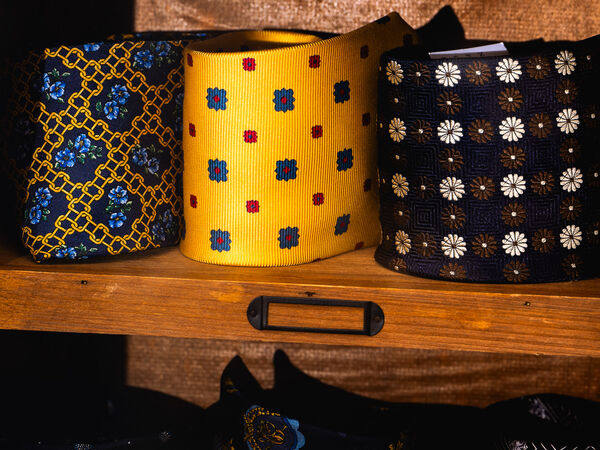
Silk ties
from €19


Example designs · fictional brands · photos by MarketRamp
Tired of seeing your email designs break?
Most designs from AI tools and designers break in your email app's compose window: backgrounds drop out, text disappears, layouts fall apart.
With MarketRamp Styled Emails app, your design is sent as you built it. Our app makes sure your compose box doesn’t strip your styles.
Sent via compose box
✓With our app
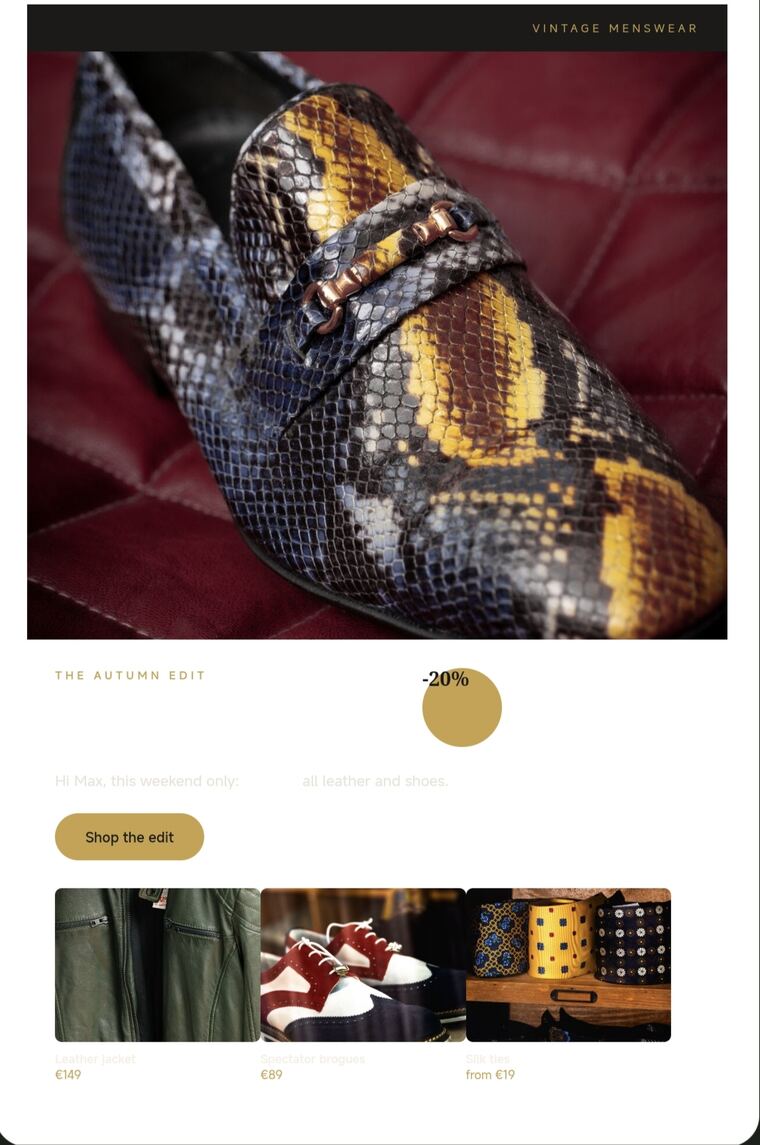
The Autumn Edit
Walk in something rare.
Hi Max, this weekend only: 20% off all leather and shoes.
Shop the edit
Leather jacket
€149
Spectator brogues
€89
Silk ties
from €19
Example design · fictional brand · photos by MarketRamp
Enjoy both worlds: strong marketing and convenience.Enjoy the combination of both worlds: strong marketing and convenience.
Design your templates directly in our app with AI by simple explanation of your needs. Or import a design from your AI agent or your designer. Our app allows you to choose the most convenient way for you.
-
1
Your design
Import your styling templates made by your AI (Claude, GPT, Gemini…), your designer or yourself.
Or
design your templates with our built-in AI in our Smart Design Studio and save directly in the app!
-
2
Edit
Choose your template in the app. Add the text or choose a saved one. Choose your elements like buttons, menus, graphs and so on by simple on and off switch. Adjust them as needed.
-
3
Send from your own Gmail
Add recipient(s), preview on desktop, tablet and phone, hit send. It goes out from your address and sits in your Sent folder like any other email.
Your design, ready for every email.
The MarketRamp Styled Emails app is more than a stage for your brand. It's a practical tool for your business routine. Sending styled invoices, reports, promotions, vouchers, price offers, contracts becomes easy. Save text versions for the emails you use rapidly. Add your menus, titles, buttons, tables… All editable, so you can always adjust them to your needs.
-
Edit titles, text and buttons
New headline, new offer, new button? Change it in seconds for every email. Your design stays as you built it.
-
Menus and sections on or off
Add a menu, an offer block or a footer, and choose for each email which parts to include.
-
Saved text versions
Save the texts you send often, like an invoice reminder or a welcome email, several per design. Pick one and everything is filled in, still editable before you send.
Everything between the design and the send button
Smart Design with AI
Describe your email and get a finished design with editable fields. Change text, colors or fonts later without starting over.
Reply with your design
Reply or reply all in the same conversation, with the original message quoted below. Available on desktop.
Bring any design
Upload the file from your designer or AI, then drag your images onto their spots.
Images your way
Embed images so they travel inside the email — no broken links, even years later, or link them from where they are stored to keep emails light.
Manage your templates easily
Change your templates any time. New logo or header? No problem, just upload the new one to your template. No need to start from scratch.
Preview before you send
See your email on desktop, tablet and phone, and get a warning before Gmail would cut off a long email.
Plain-text version included
Every designed email also carries a plain-text version for readers and programs that prefer text.
Design on your computer, send from anywhere
Set up templates on desktop and use them from the Gmail app on your phone.
Your sender, your Sent folder
Emails go out from your own Gmail address. No new email account, no extra sending service.
Your emails stay yours
We don't read or store your emails. Your templates and images are saved in your own Google account, not on our servers.
- Templates are saved in your own Google account. Delete them and they are gone.
- The add-on only asks for the permissions it needs to send your designed emails.
- Made by MarketRamp, a marketing studio in Germany.
Simple pricing
The trial gives you the opportunity to send styled emails , so you can see for yourself that your designs land as they should. It also gives you a glimpse of the app's template design studio and all the app features, so you have the exact overview before you decide if you want to subscribe.
Trial: up to 15 designed emails or 7 days.
Basic
€5 / month
or €50 / year (2 months free)
- ✓Import your style templates or paste your raw HTML
- ✓Upload or link images to your templates
- ✓Full text editor with live preview
- ✓Attach files from your computer or Google Drive
- ✓Save reusable texts for your templates
- ✓Replies with design
- ✓Desktop, tablet and phone preview
- ✓QR codes and GiroCodes for payments
- ✓Contact management
- ✓Branding
Smart Design
€10 / month
or €100 / year (2 months free)
- ✓Everything in Basic
- ✓Smart Design: AI builds your designs
- ✓Write with AI: new emails and replies in your tone
- ✓Email schedule: plan emails in a calendar, sent at the time you choose
- ✓Recurring emails: a line-up of emails that go out on a fixed rhythm
- ✓Your assistant does the work... plan and change emails with AI (MCP)
- ✓Design blocks like menus, buttons, tables and charts, switched on or off for each email
- ✓Multiple branding profiles
- ✓200 credits every month
FAQ
Why do my designs break in the compose box?+
The compose box only keeps simple formatting and strips the rest when you paste. MarketRamp Styled Emails was made for this problem: your design is sent as you built it.
Will my email look the same in every email program?+
Your email is sent as you built it. How it is displayed then depends on your reader's email program and settings. Some programs block images until the reader allows them, dark mode can change colors, some older programs drop details like rounded corners, and Gmail shortens very long emails. Use the preview to check desktop, tablet and phone, and the add-on warns you before Gmail would shorten your email.
Why it's still worth it: Apple Mail and Gmail together account for more than 8 out of 10 email opens (Litmus, July 2026, based on over 1 billion opens), and both show well-built designs faithfully. Source: Litmus
Do you read or store my emails?+
No, and your inbox is out of our reach. Google only lets the add-on see the one specific email you have open while you use it: to quote it in your reply, and for AI only if you allow it. Our server can't read emails at all; it can only send what you wrote. Your emails are not stored on our servers.
Where are my templates saved?+
In your own Google account. You own it and can delete it at any time.
Do I need to know code?+
No. Upload a design file, or let Smart Design make one. You only write your text.
What are credits?+
Credits pay for AI design work. Each AI action shows roughly how many credits it uses before you start. The Smart Design plan includes 200 credits every month.
If I'm out of credits, can I get more?+
Yes, 200 extra credits for €5.
Can I cancel?+
Yes. Your plan stays active until the end of the period you paid for.
Is Outlook supported?+
Gmail comes first. Versions for other email providers will follow as separate packages. Write to us if you want to hear when yours is ready.
We believe design carries real power
Let it speak for your brand!
Be among the first to send designed emails straight from Gmail. Using Outlook? Tell us, and we'll let you know when it's ready.